
Mods are the heart of the Farming Simulator series. They allow you to add new machinery, custom maps, improved physics, and unique scripts to the game. In this guide, we will cover all the ways to install mods in Farming Simulator 25. Installing mods on PC is the most popular way to customize the game. There are two main methods: through the official in-game ModHub or by manually adding ZIP archives.
1. Manual Installation of ZIP Archives (from Third-Party Websites)
If you downloaded a mod from third-party resources, you need to place it in the game’s dedicated system folder:
- Download the modification file. Make sure it has a
.zipextension. - Do not unzip the ZIP archive! The game works with mods directly in compressed format (unless the archive contains multiple individual mods inside).
- Copy the downloaded
.zipfile. - Go to the following directory on your computer:
C:\Users\[Your_Username]\Documents\My Games\FarmingSimulator2025\modsOr quick access: open File Explorer, copy the path below, paste it into the address bar:
%USERPROFILE%\Documents\My Games\FarmingSimulator2025\modsand press Enter.
Tip: In Windows 11, you can simply open File Explorer, click on the Documents folder in the left sidebar, and then follow the same path:
My Games\FarmingSimulator2025\mods
Activating Mods in the Game
After adding the file to the mods folder, you must activate it before launching your savegame:
- Launch the game and select your savegame (Career).
- In the “Mods / DLCs” window, click on the mod you want to use for this game session and press “Select”. You can also click “Select All” at the bottom to enable all downloaded mods at once.
- Click “Start”.

2. Automatic Installation via the In-Game ModHub
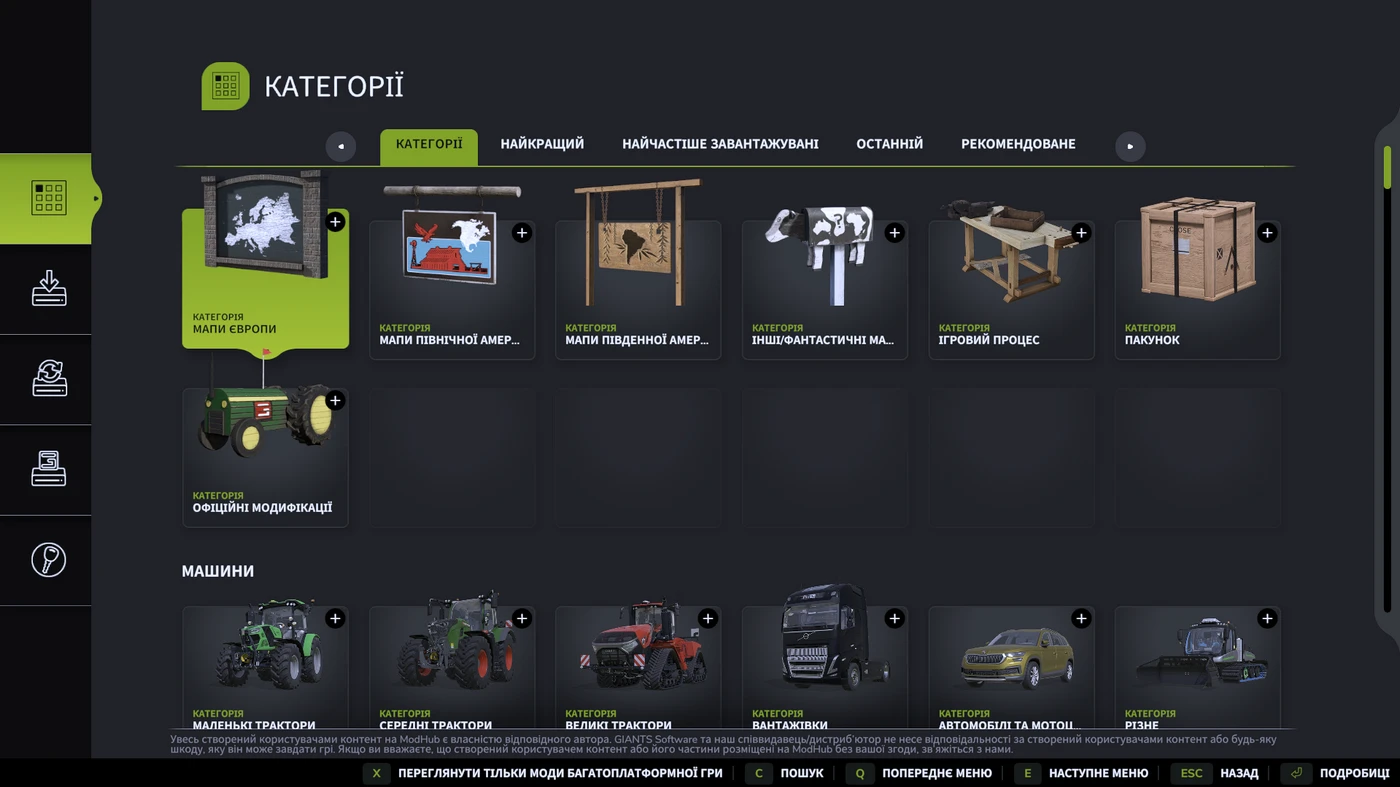
This is the easiest method for those who don’t download mods manually and only use the official ModHub. The upside is that everything is done directly inside the game. The downside is that many mods for your favorite equipment simply aren’t available on the official platform.
- Launch Farming Simulator 25 and go to the “Mods” (ModHub) section in the main menu.
- Select the desired category (Tractors, Harvesters, Maps, Implements, Scripts).
- Find the mod you want and click the “Install” button.
- Wait for the download to complete and restart the game if needed.

How to Install Mods on Consoles (PS5, Xbox Series X/S)
On consoles, mod installation is available exclusively through the official in-game ModHub catalog, as downloading third-party files from the internet is restricted by the platform.
Important: Consoles only have access to modifications that have been officially tested and approved by GIANTS Software.
Troubleshooting & Common Issues
- Mod doesn’t show up in the game: Double-check if you unzipped the
.ziparchive by mistake. Also, make sure the file is placed directly in themodsfolder, not in your Downloads folder. - Mod conflicts or game crashes: If the game crashes, delete your recently added mods one by one or check the
log.txtfile in the game directory for errors (Error).
Checking log.txt for Errors:
Path to the file:
C:\Users\[Your_Username]\Documents\My Games\FarmingSimulator2025\To check the log.txt file, open it with Notepad (or any text editor of your choice), press Edit -> Find (or Ctrl + F). Type Error and press Enter.

If it finds any errors, look at the text around them to identify the archive name. For example, if it says something like FS25_FORD_150_RAT, search for the mod archive with that exact name in your mods folder and delete it. This usually means the mod is outdated, the author missed a bug, or it’s incompatible (e.g., you accidentally downloaded a mod made for Farming Simulator 22).


